Can I change the order of categories and fields?
Rachel Martin
Updated
You can control how categories and fields appear to entrants. This helps improve clarity and flow in the entry form.
Categories
Categories display in alphanumerical order by default. To control the order, add numbers or letters before the category name.
Example:
01 Racing bikes
02 Cargo bikes
03 Mountain bikes
04 City bikes
For more details, see Category configuration.
Fields
Field order controls how questions appear in the entry form. The most common method is drag and drop in the form editor.
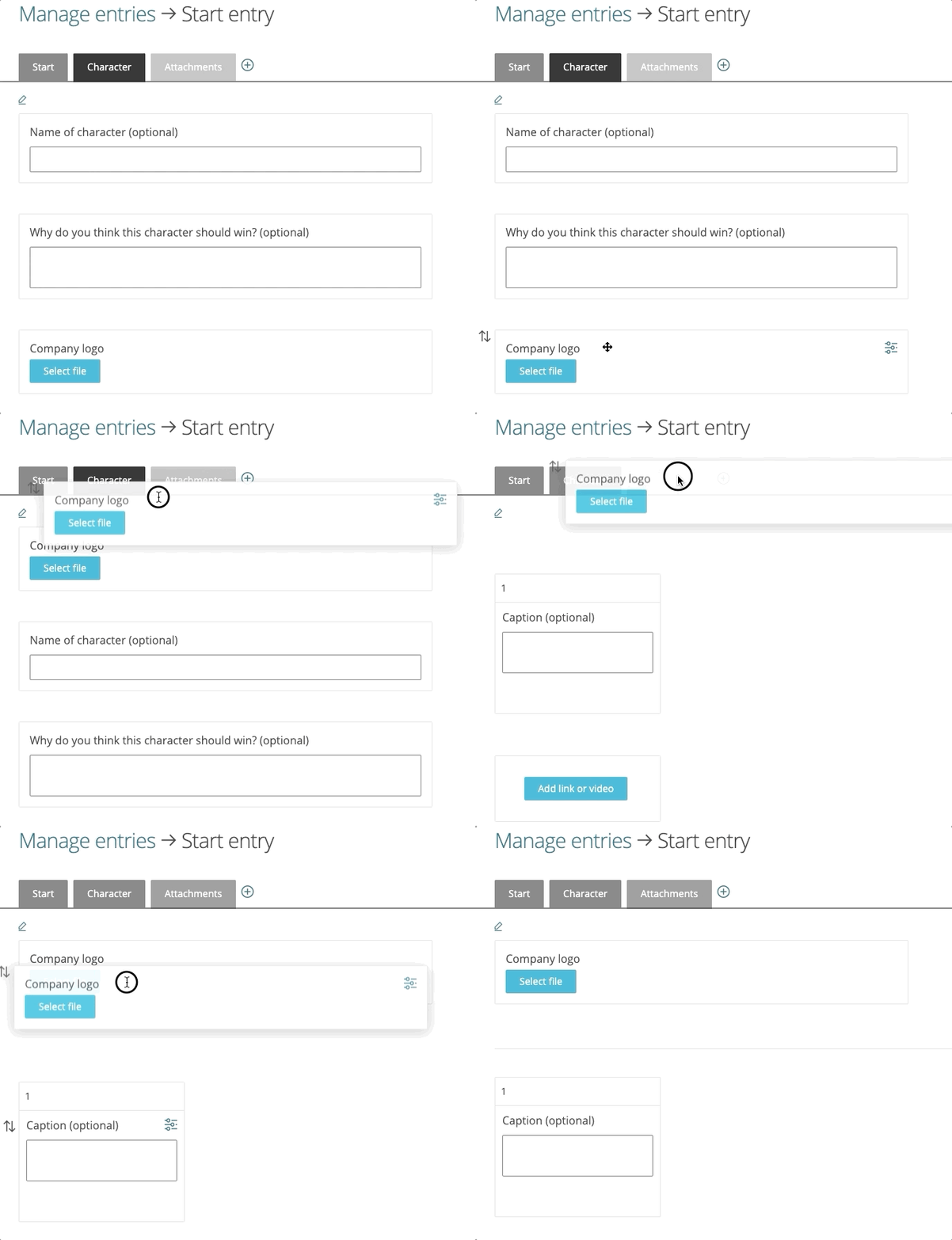
For more details, see Field configuration.
Good to know
- Use a two digit numbering format for categories such as 01, 02, 03. This avoids unwanted ordering like 1, 10, 11, 2.
- Fields can be dragged and dropped between tabs.
https://support.awardforce.com/hc/en-us/categories/4411285686287-Getting-started
/hc/theming_assets/01KTP7PD2JQRZXKVKW99T9GKGS
Getting started
Configure basic settings, FAQs, update your theme, and more.
custom
https://support.awardforce.com/hc/en-us/categories/4411269011855-Configuring-the-entry-form
/hc/theming_assets/01KTP7PDD43WRCD8K0N99TGW72
Configure the entry form
Add categories, build your entry form, and much more.
custom
https://support.awardforce.com/hc/en-us/categories/4411285709967-Managing-entries-and-users
/hc/theming_assets/01KTP7PDQ6CJYB7GV4QJVQ69BG
Managing entries and users
Tag entries, export data, moderation, adding users, updating roles, and more.
custom
https://support.awardforce.com/hc/en-us/categories/4411277247119-Configuring-judging
/hc/theming_assets/01KTP7PE26HR52HCTQHB8PRBWP
Configuring judging
Explore different judging modes, add your judges, and more.
custom
https://support.awardforce.com/hc/en-us/categories/360000107476-Award-Force-Academy
/hc/theming_assets/01KTP7PECJ2DQXB838CNQZ7F2C
Award Force Academy
Watch videos to learn how to best utilise the Award Force platform.
custom
https://support.awardforce.com/hc/en-us/categories/360000111176-Accounts-and-billing
/hc/theming_assets/01KTP7PEPZVRYEWQ7Q0MVF9VWE
Accounts and billing
Change the account owner, update billing details, and more.
Theme, Judging, Broadcast
